
The curriculum map that
keeps itself up to date.
A curriculum map template is a spreadsheet you build once and then keep alive by hand, until the week the updating slips. Compass does the other half for you: it connects everyday plans to curriculum coverage without rebuilding a spreadsheet every term, so the map stays current on its own.


Why templates die in November
A curriculum map template has one flaw: you are its database. Every lesson taught means a cell to update, and the week you skip updating is the week the map stops being true. Compass flips the maintenance: Mark it planned or taught. Scheduled plans count as Planned. Completed plans count as Taught. The map updates because you planned, not because you remembered.

What keeps it up to date
This is the part that earns the name. Your provincial curriculum loads as the backbone, taught, planned, and to-do in one clean view per class, and a bit of automation does the tedious upkeep:
Smart Scan reads your plans
and suggests the curriculum they cover, with a confidence score and the source text it found, then you confirm what counts.
The did-you-teach nudge
checks in when a scheduled lesson’s date has passed, so a planned lesson doesn’t sit as Planned forever, it becomes Taught on your word, or it doesn’t.
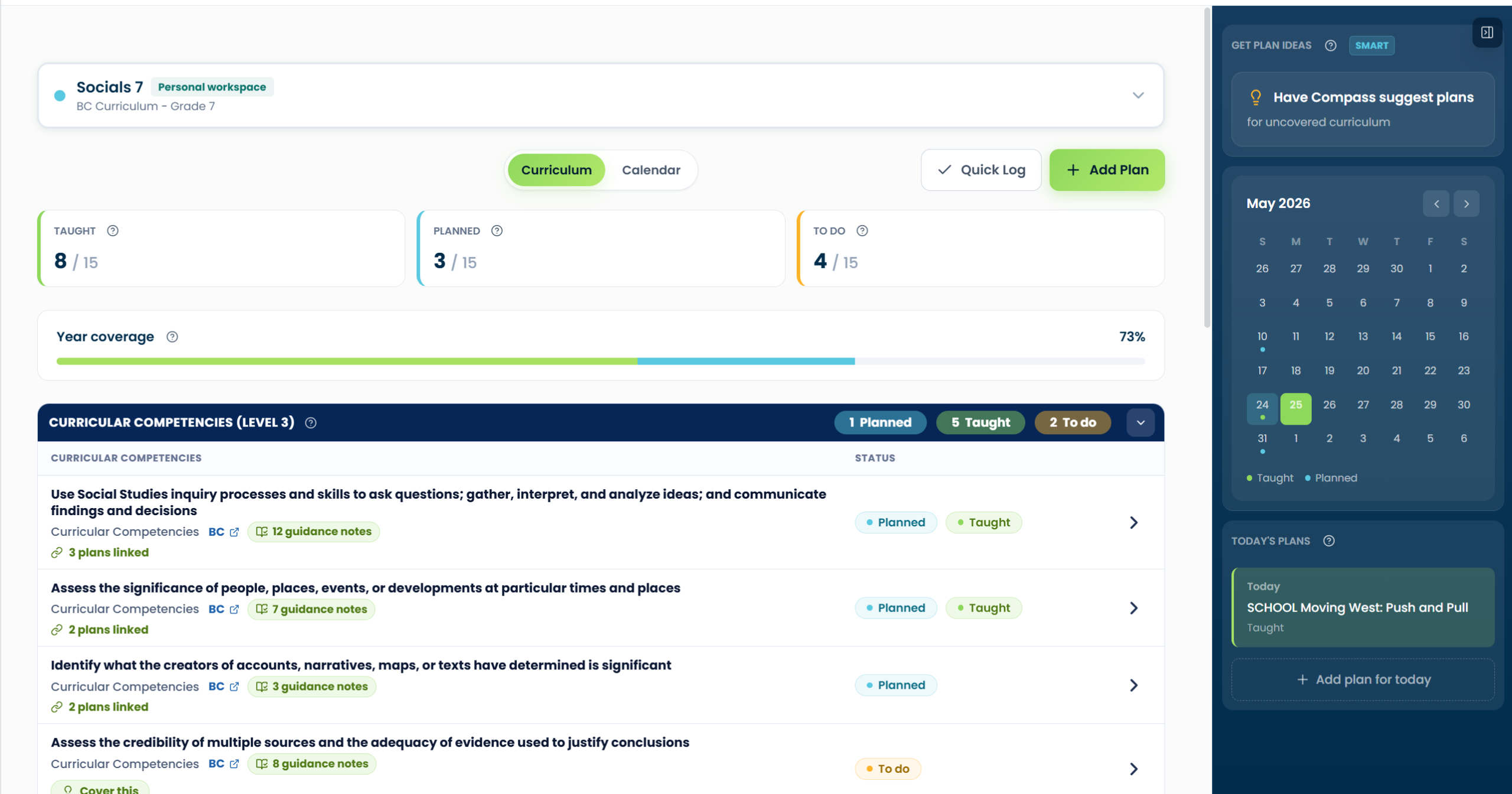
For items still marked To Do, Plan with Compass can draft a sequence on your timetable. Review the proposal, then choose a plan to build out in CARL.
When you do need a document
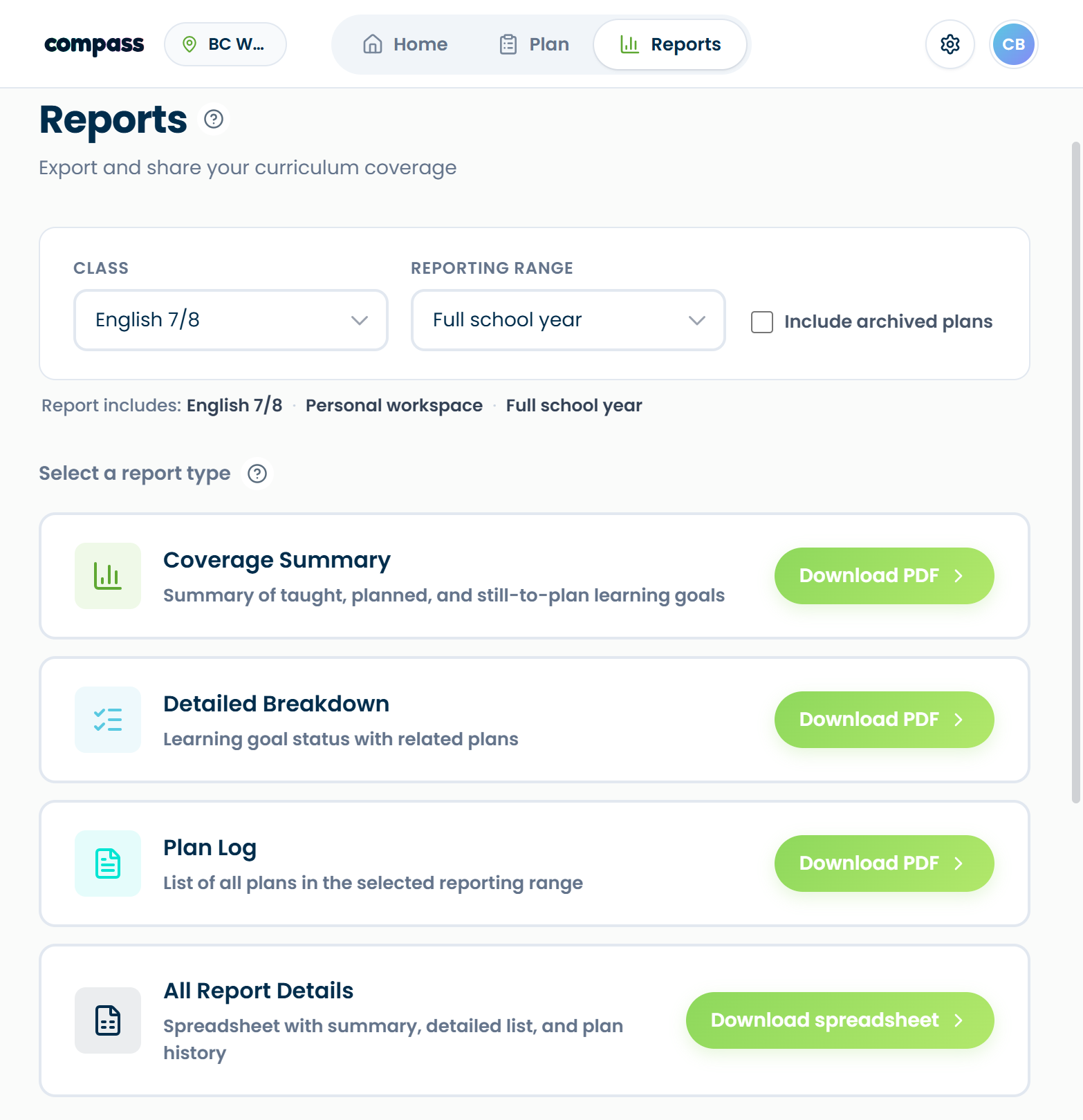
Mapping night with the team? Reporting to admin? Generate coverage summaries, detailed breakdowns, plan logs on demand. The document is an output of the map, not the map itself. That’s the whole trick.
Questions teachers ask first.
Retire the spreadsheet.
Your curriculum map should work for you, not the other way around.
