Plan it. Teach it. Track it.
One connected system.
AI lesson planning and curriculum coverage that talk to each other.
CARL builds your curriculum-informed lessons. Compass tracks what you’ve taught, planned, and still need to cover. Start in either one, book a lesson in Compass and build it in CARL, or build it in CARL and book it into Compass. You only enter it once.
Start in either tool. You only book once.
Whether you begin in Compass or CARL,
create, plan, and track in one connected workflow.
Book the lesson
On your Compass plan calendar, book the day and the outcome you’re covering.
Build it in CARL
Copy the booked lesson into CARL and it builds the full, curriculum-informed plan.
Already planned
You booked it in Compass first, so it already appears as planned. Mark it taught after the lesson.
Build the lesson
Start in CARL and build a curriculum-informed lesson from a topic, a doc, or scratch.
Book it in Compass
Push the finished plan onto your Compass calendar in a click.
Coverage updates
Once it is booked, the linked curriculum appears as planned. You confirm what was taught after the lesson.
Build the lesson in CARL, keep the timetable and coverage in Compass, and confirm what you taught.
From gap to lesson and back, in one loop.
The whole journey on screen: Compass finds the gap, CARL builds the lesson, and the loop closes on your calendar.
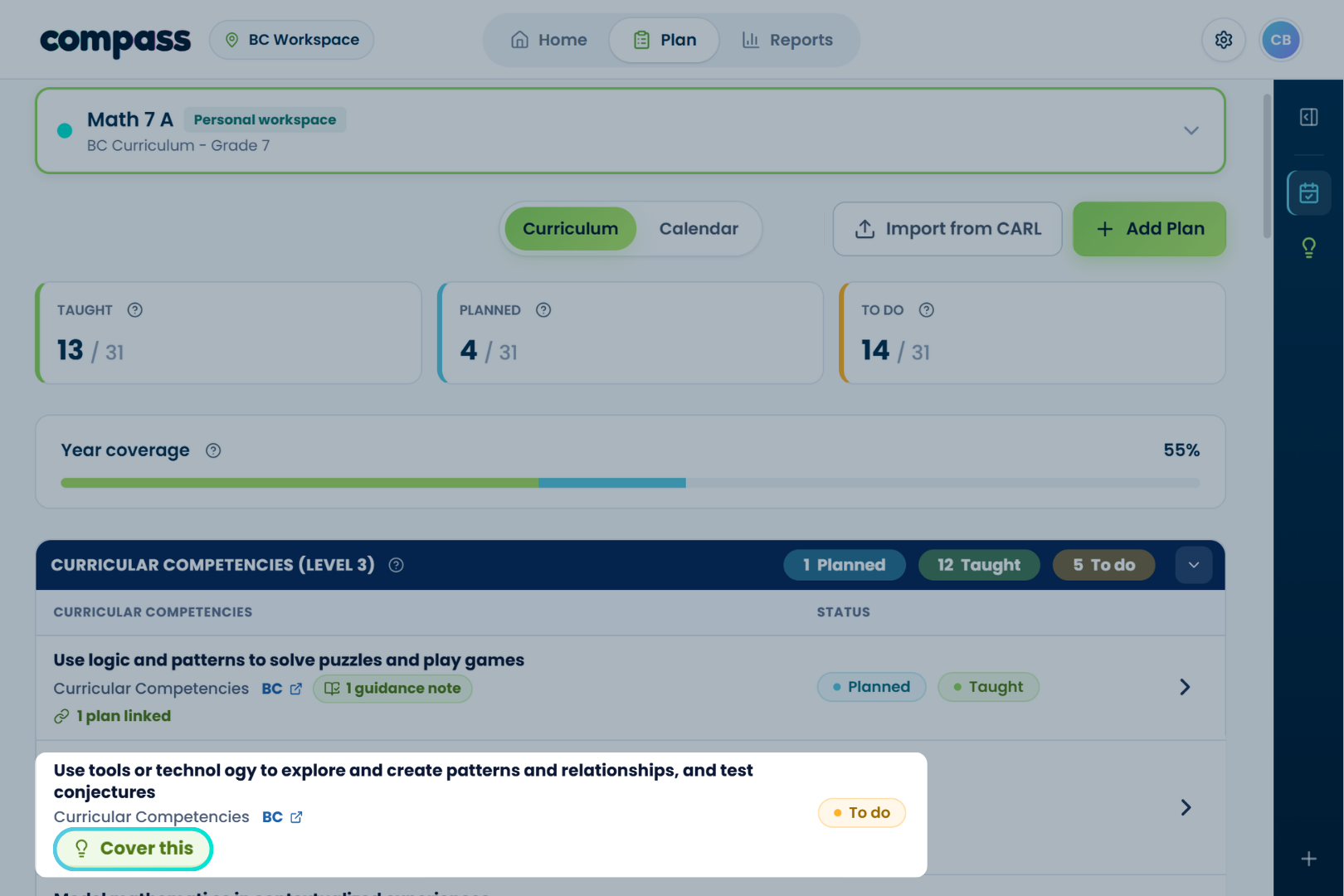
Spot what needs attention
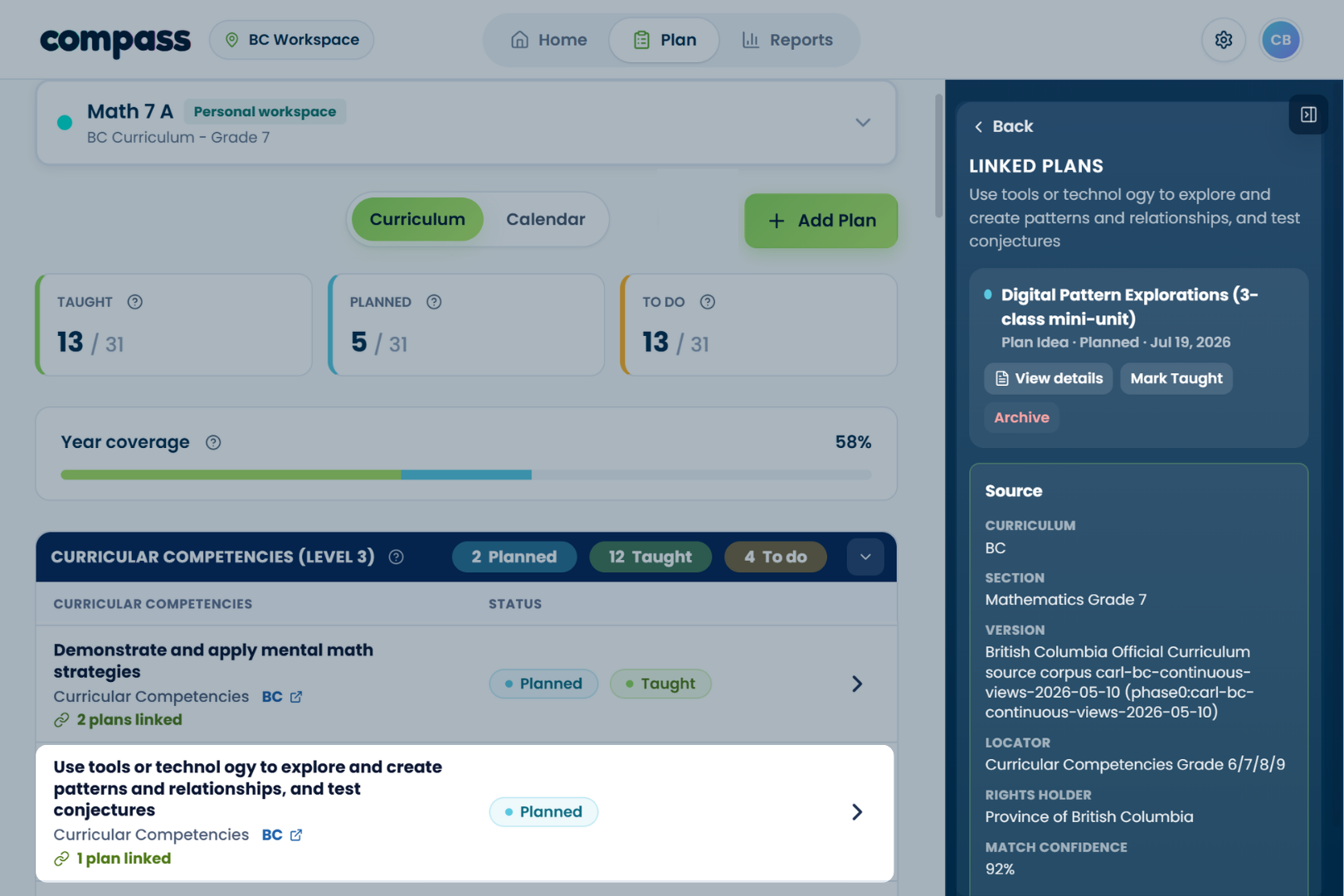
Your Plan view shows what is taught, planned, and still to do across the curriculum. Check the items still marked To Do, then choose the next focus for your class.
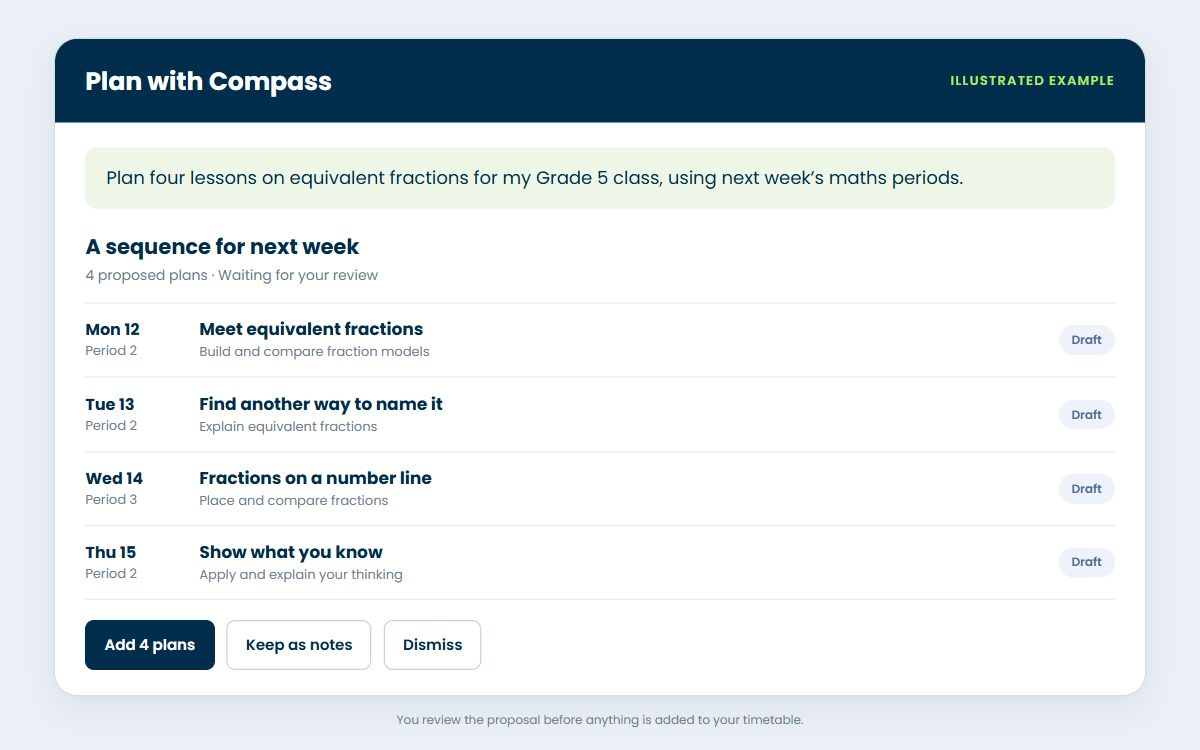
Plan with Compass
Describe what you want to cover and the periods you have. Plan with Compass drafts a sequence for your timetable. Review it, then choose what to add.
Copy the plan to CARL
Found the right plan? Open its record and choose Copy to CARL. The goal, learning objectives, and curriculum links travel with it.
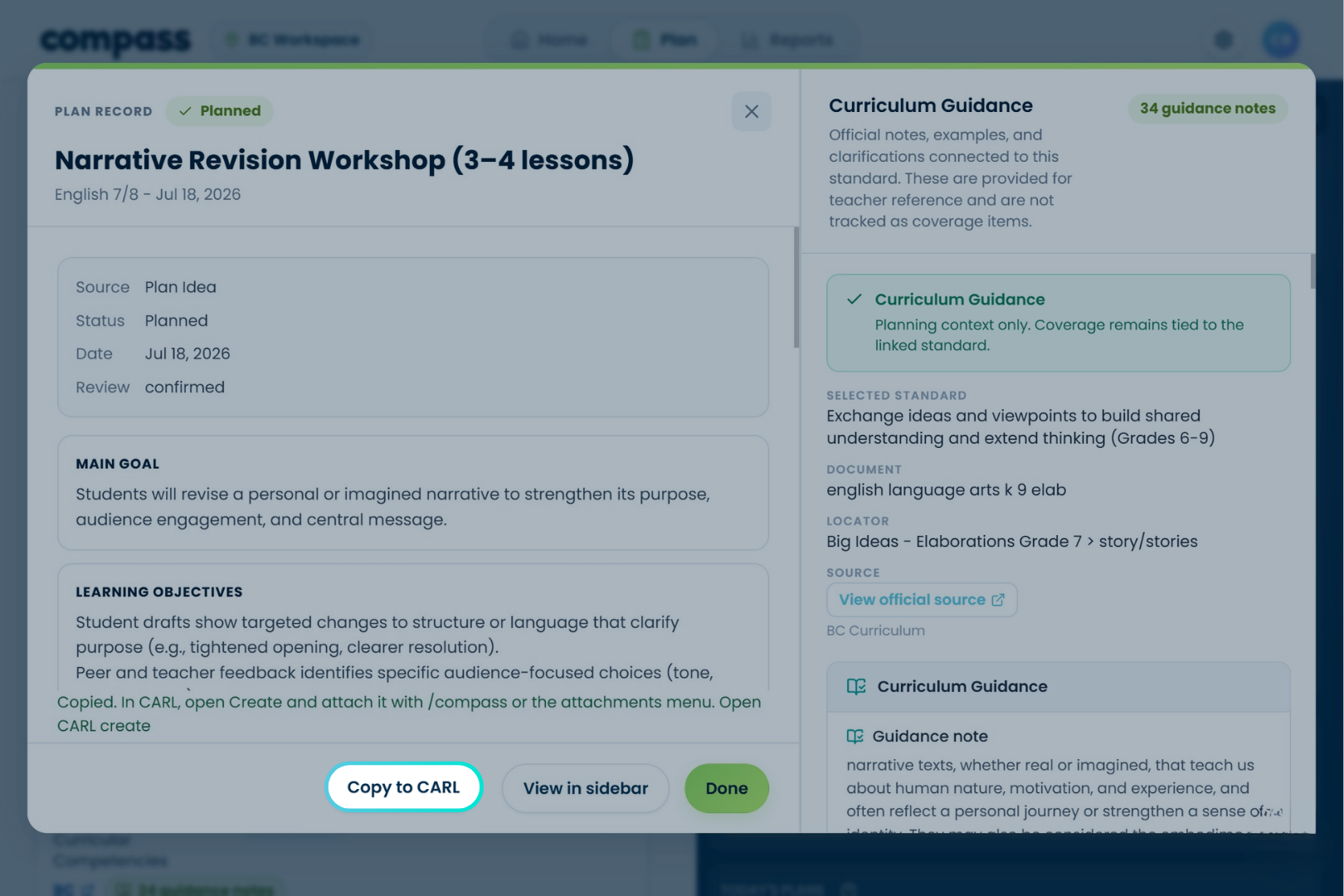
Build the lesson in CARL
In CARL’s create screen, attach the copied plan with /compass or the attachments menu, and CARL builds the full lesson from it. Review the lesson and its materials. In Compass, the plan stays planned until you confirm what you taught.
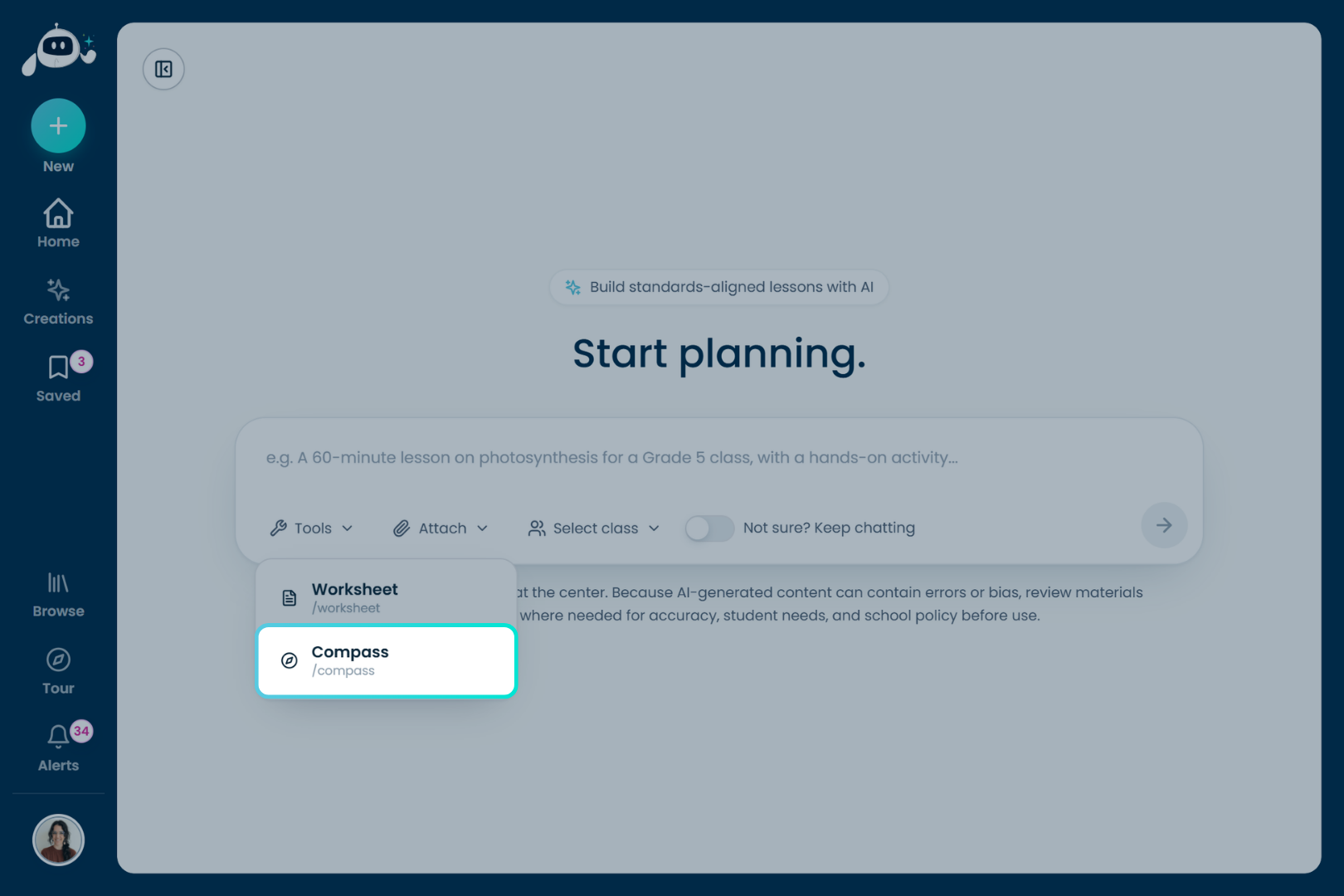
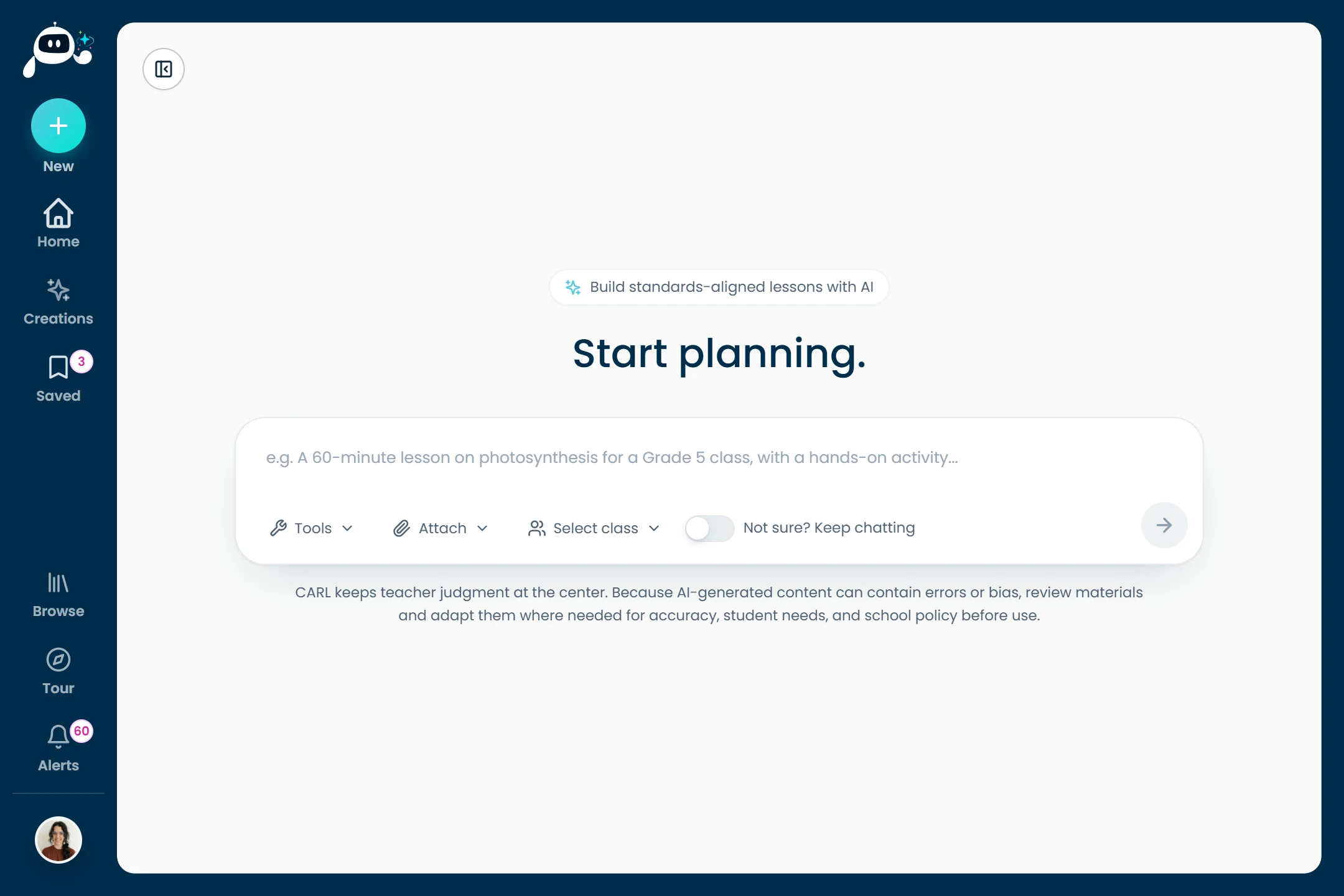
Start with an idea
Open CARL and start from whatever you have, a topic, a document, or a curriculum outcome, and it drafts a full, curriculum-informed lesson with materials.
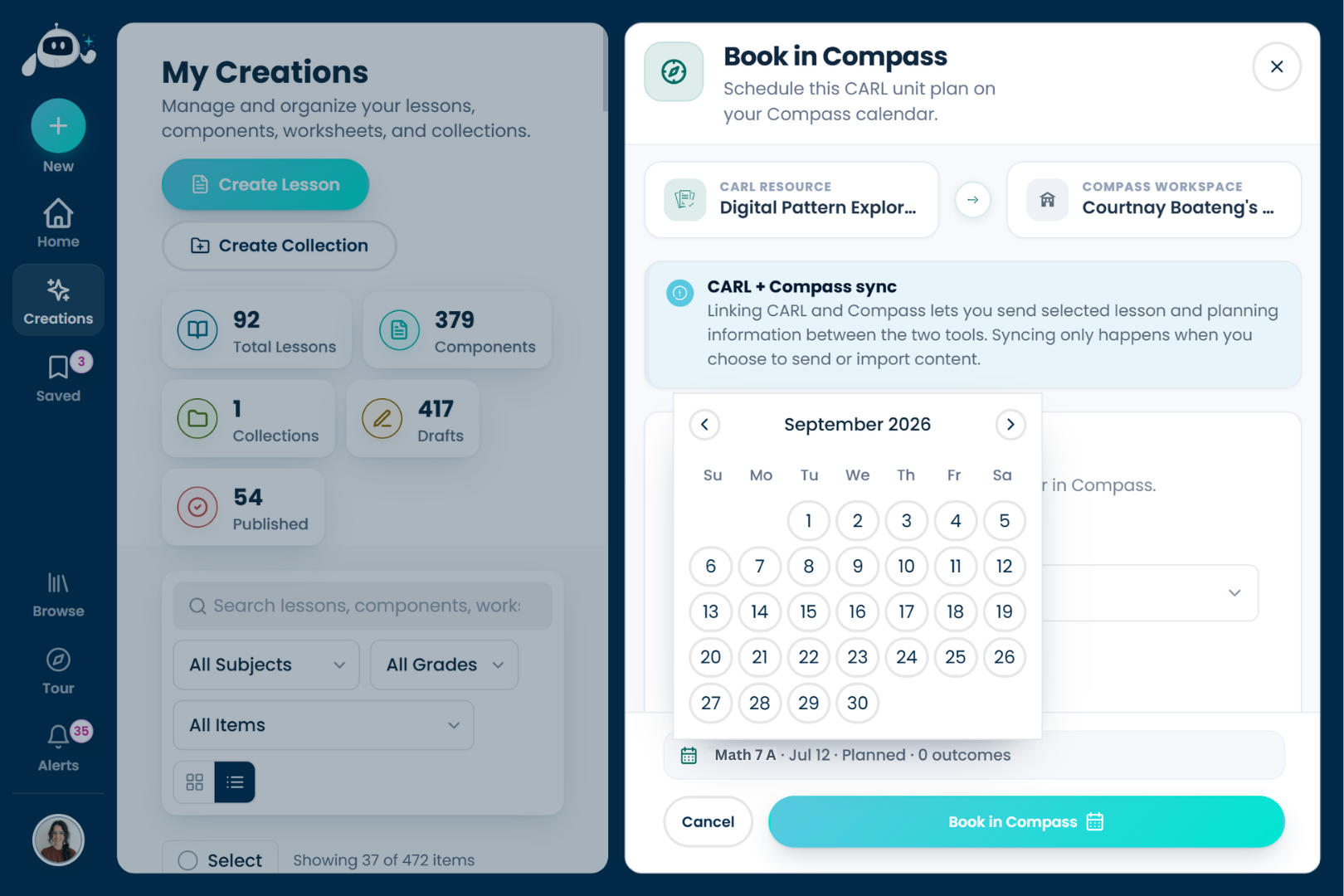
Book it on your calendar
Send the finished lesson back the other way: Book in Compass schedules it for the class and date you pick. Syncing only happens when you choose to send or import, nothing moves on its own.
Watch the loop close
Back in Compass, the item shows as planned with the lesson linked to it. Teach it, choose Mark Taught, and your year coverage climbs, then the next gap is ready when you are.
Two tools, one workflow.
Plan once, no double entry
Lessons you build in CARL flow into Compass as coverage. You’re not retyping your week into a spreadsheet.
Gaps become your next lesson
Compass shows what’s still To Do. CARL turns those gaps into ready-to-teach plans.
Two apps, one connected workflow
CARL and Compass are separate apps with their own accounts, linked by a secure connection. Nothing syncs until you choose to send or import.
Your teaching, turned into coverage.
Lessons you build and teach in CARL show up here in Compass as curriculum coverage. AI suggests the links; you confirm what counts. Nothing is marked taught until you say so.
English 7/8 · year coverage
13 taught, 4 planned · 31 outcomes this year
A few things you might be wondering.
Plan and track in one connected system.
Start with either app, connect the other when you’re ready.