Lesson planning for teachers whose brains don’t do binders
See the planning workflow ↓Hi, I’m Courtnay, co-founder of CARL. I have ADHD, and, plot twist, I LOVE a good workflow. Not because organization comes naturally to me. Because it doesn’t. If I can’t see something, it slips out of mind, so I build systems that put the whole picture where I can see it. CARL and Compass are that kind of system, built for teachers.

One place to pick the thread back up
1. Catch the idea
Type a topic, talk it through, upload a half-finished plan or remix a library lesson. Start with what you have.
2. Shape the draft
Review the lesson, then create the worksheet and supports from that context. See the lesson-building workflow.
3. Find your place again
Keep plans with their class and use Compass to review what is planned, taught and outstanding. Returning after a break? Start with that view, then choose the next plan to work on.

AI can be wrong, sometimes confidently. Every draft still needs your review. The point is to have somewhere to start, and somewhere to come back to.
A note from someone who gets the brain, and respects the job.
I’m not a teacher. I won’t pretend to know what it’s like to manage thirty kids while remembering which outcome Tuesday’s lesson was serving (I have two, and that’s plenty for me). But education matters enormously to me, and I know, from the inside, what it costs to run a demanding job on a brain that charges a premium for every act of executive function.
Workflows are puzzles I do for fun, but willpower and working memory have never been enough to carry me. The system has to hold the whole picture, because my head won’t hold it for me. So I build the structure while I’m hyperfocused, and trust it to carry me the rest of the way.
That’s the principle CARL and Compass are built on: keep the whole plan visible, make the next step obvious, and never start from a blank page. And if your brain is the tidy kind that doesn’t need any of this? Good systems are just good systems, and you’re welcome too.
Keep your curriculum where you can see it.
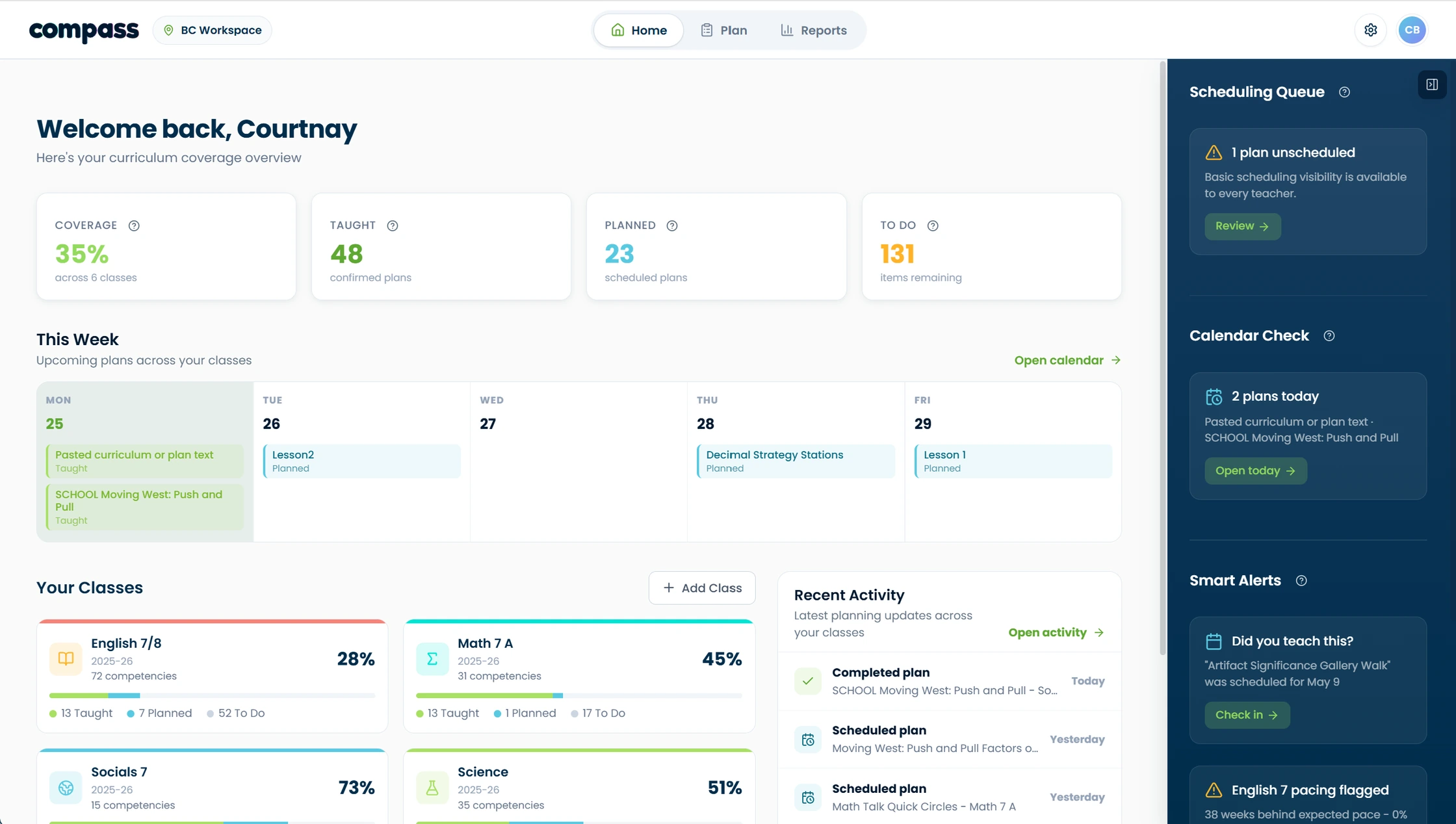
You know the rule: out of sight, out of mind. If the coverage tracker lives in a drawer, a spreadsheet, or your own head, it essentially doesn’t exist, and neither do the outcomes hiding in it. Compass’s whole job is to keep your curriculum where your brain can’t lose it: taught, planned, and still-to-come, across every class, in one visual map.
No spreadsheet to maintain. No highlighter system to abandon in November. The tracking updates as a byproduct of planning, so “am I forgetting something?” gets a one-glance answer instead of a 2 a.m. spiral.
The same design thinking can support your students too.
For student-facing materials, explore UDL options, chunked instructions, visual supports and language scaffolds. Choose and adapt what fits your learners. See examples of the built-in supports.
Questions teachers ask first.
Plan the lesson while you still feel like planning it.
Open CARL, type the topic that’s in your head right now, and let momentum do the rest.