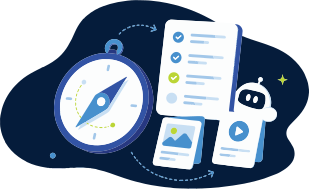

Compass helps you see what’s next. CARL helps you build it. That’s the simplest way to explain how the two fit together.
They’re connected, but they’re not the same thing, and that’s on purpose.
Why Two Tools Instead of One
We could have crammed everything into one big platform. We didn’t, because planning is really two different jobs.
Sometimes planning means the big picture: what have I taught, what’s planned, what still needs attention, what do I need to show when it’s time to report. Other times it’s immediate: what am I teaching next, what supports do students need, what activity or assessment will actually get them there.
Those jobs pull in different directions, so we built a tool for each. Compass handles the overview. CARL handles the build. You can use either one on its own. Compass tracks curriculum and reporting even if you already have lessons you love. CARL builds and adapts resources even if you track curriculum somewhere else. They just happen to be stronger together, because they solve two halves of the same problem.
Planning Is More Than Making a Lesson
Most of the planning teachers do is scattered. Curriculum coverage lives in a spreadsheet. Lesson materials are in Google Drive. Notes are in a planner, a doc, an LMS, or (let’s be honest) somewhere you were definitely going to organize later.
Then reporting comes around, or a unit shifts, and suddenly you’re piecing the story together from five places. That’s a lot to carry.
We’re not building Compass and CARL because teachers need more platforms. We’re building them because the work is already scattered, and scattered work eats time.
What Compass Helps You See
Compass is about curriculum coverage, planning visibility, and reporting. It shows what’s been taught, what’s planned, and what still needs attention, so you’re not rebuilding a spreadsheet every term or trying to remember whether an outcome was actually covered. It’s built for the “Did I cover that?” moments.
You can add a plan, upload a plan, quick-log something you already taught, and review suggested curriculum links before they count. You stay in control: Compass suggests matches, you confirm what actually fits. Tracking should support teacher judgment, not quietly take it over.
[Keep the Compass dashboard screenshot here] The Compass dashboard gives you a clear view of curriculum coverage at a glance.
You can learn more about Compass here.
What CARL Helps You Build
CARL is the lesson and resource side. If Compass shows what needs attention, CARL helps you build or adapt the materials for that next step: a lesson from a learning goal, a student-facing handout, accessibility supports, a rubric, a discussion prompt, or an adaptation that fits your class.
It’s not there to replace your judgment. It’s there to cut the repetitive parts of building so you can spend your energy deciding what actually fits.
The Planning Loop
Here’s where they meet. Say Compass shows a curriculum area still marked To Do, or only partly covered. That’s your next step. From there:
- See what needs attention in Compass
- Build or adapt the lesson and materials in CARL
- Teach, adjust, or remix in the classroom
- Confirm what was planned or taught back in Compass
- Use the record later for reporting, reflection, or planning next steps
It’s not about adding steps to your planning. It’s about connecting the ones you already do, so the work stops living in five different places.
The Bottom Line
- Compass helps you track curriculum coverage and see what’s next.
- CARL helps you build the lessons, supports, and resources to get there.
- You don’t need both to use either, but they’re stronger together.
- The goal is one connected workflow, not more scattered tools.
Compass helps you see what’s next. CARL helps you build it.