CARL Compass
For those "Did I cover that?" moments.
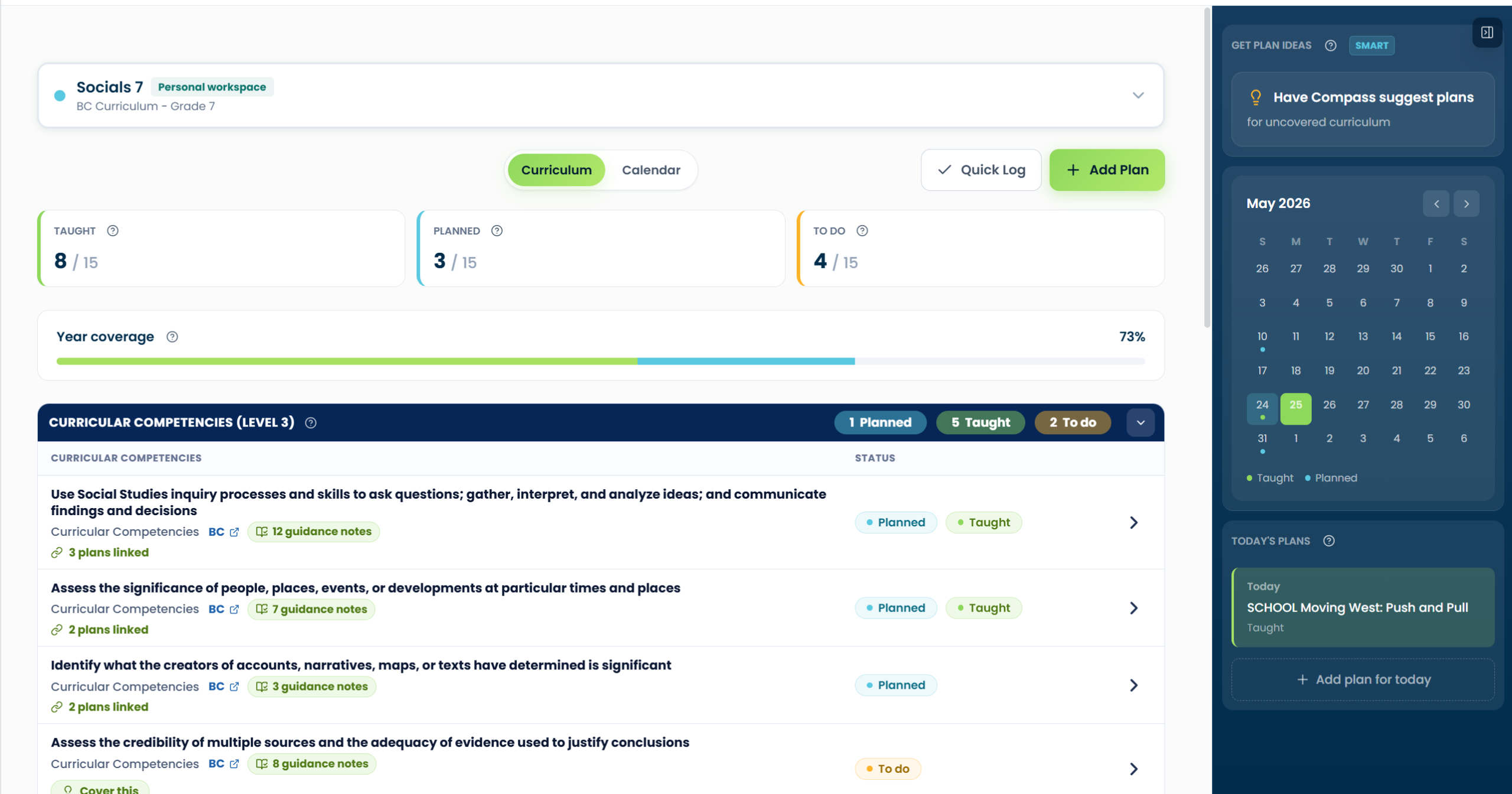
See what you’ve taught, what’s scheduled, and what still needs attention, then connect everyday plans to curriculum coverage without rebuilding a spreadsheet every term.
Upload or paste plans for match review
Planned when it lands on your calendar
Start from what still needs coverage
The problem
Curriculum coverage shouldn’t live in five different places.
Spreadsheets go stale. Plans get tucked into Google Docs. Reporting evidence shows up at the worst possible moment. Compass connects the dots, so what you taught, planned, and still need to cover appears in one calm view.
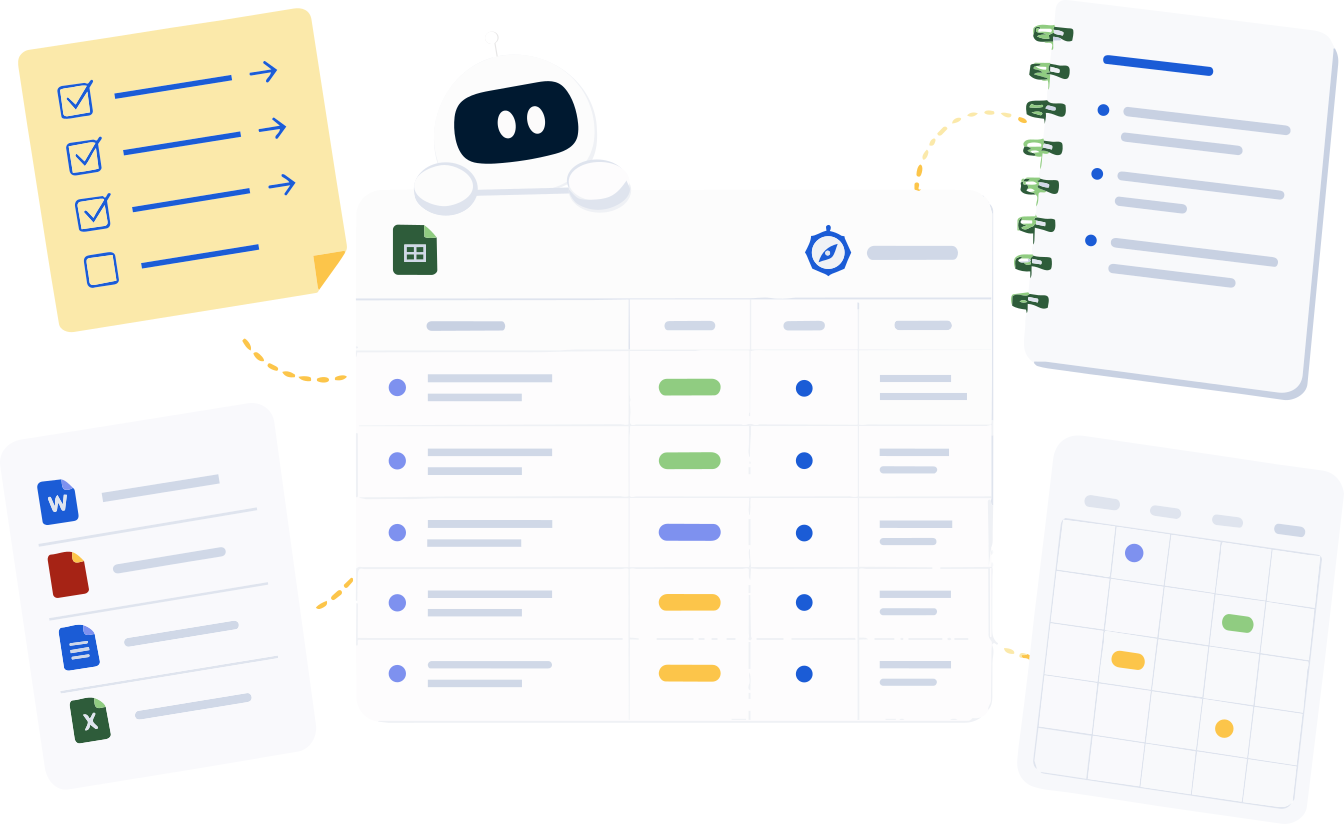
Sticky note · Mon
Pemmican lesson?
Re-do data unit
Coverage.xlsx
SS4 — Strand C ?
SS4 — Strand A ✓
ELA — Inquiry ?
Plans / docs
Tues — Trading Post
Wed — Read aloud
How Compass works
A simple workflow for connecting plans, curriculum, and coverage.
1
Choose your class and curriculum
Set up your class, subject, grade, and curriculum source.
2
Add or log a plan
Upload a plan, paste one, schedule something, or Quick Log what you already taught.
3
Confirm curriculum connections
Select items manually or review suggested matches before anything counts.
4
Coverage updates as you go
When you schedule something, it's marked Planned. When you teach it, mark it Taught.
5
Pull a report when you need one
Generate summaries, planning logs, and comment starters from the records you built.
✦
See coverage clearly
One view for taught, planned, and to do — by class and by strand.
▤
Plan once, track as you go
Add a plan, schedule it, or log what you taught. Compass keeps the coverage view updated as you confirm your work.
●
Stay in control
Compass suggests connections. You confirm what counts.
Features
Built around the way teachers actually plan.
Coverage, planning, and reporting that share one source of truth, from the daily quick log to the end-of-term report.
Coverage at a glance
Know where you are in the curriculum.
Each strand and outcome shows what’s taught, what’s scheduled, and what still needs your attention — without you keeping the tally yourself.
- Coverage views by subject, curriculum area, or outcome
- Filter by term, unit, class, or curriculum source
- Click any outcome to see every linked plan and log
Strands · Social Studies 4
Term 2 ▾SS 4 ▾
People & Communities9 / 12
Land & Place5 / 10
Economies & Trade3 / 8
Ethical Judgments1 / 6
TaughtPlannedTo do
18 of 36 outcomes coveredLast sync · 2 min ago
Add plan & quick log
Plan ahead, or catch up quickly.
Schedule a plan and Compass marks it Planned. Quick Log a discussion you just finished and Compass marks it Taught. Compass is designed to fit into planning you already do, not create another tracking chore.
- Schedule, log, or upload — whatever fits the day
- Curriculum suggestions appear as you write
- Edit or remove connections any time
Add to CompassWed · May 7
Schedule a plan
Title Trading Post Simulation
Date Tue, May 13
Economies & TradeCause & effect+1 more
Quick log
“Did the read-aloud and ran a quick discussion on point of view…”
Upload & match review
Upload a plan and review the curriculum connections.
Compass reads what you wrote and suggests curriculum matches. You skim, confirm the ones that fit, skip the rest. Nothing is added to coverage until you say so.
- Drop in PDFs, Word docs, or paste text
- Suggestions are labelled Strong, Possible, or Worth a look
- Skip, confirm, or replace any suggestion
Match reviewSuggestions only
Drop a plan to review matches
PDF, DOC, or paste text. Up to 10 MB.
Pemmican_Trade_Lesson.pdf
Economies & TradeSS4.E.2 — Goods exchange
Strong matchLocal historySS4.P.1 — Community stories
PossibleEthical judgmentsSS4.J.3 — Fairness in trade
Worth a lookCompass suggests. You confirm what counts.
Plan Ideas
Lesson ideas for the outcomes you haven’t taught yet.
Compass looks at the outcomes still marked To Do and suggests practical lesson topics for each one — a discussion prompt, a hands-on activity, a quick read-aloud. Save the ones that fit, skip the rest.
- Lesson suggestions tied to specific outcomes
- Save to your plans, edit, or just take the spark
- Plan Ideas are starting points, not finished lesson plans
Lesson ideas · Math 4 outcomes still to teach3 outcomes
Patterns in tablesM4.PR.1 · 0 of 4 plans
Plan ideasDiscussion: What changes, what stays the same?
Hands-on: Bead-pattern stations in pairs
Read & reflect: 10-min growing-pattern story
Data & probabilityM4.DP.2 · 0 of 3 plans
Plan ideasQuick log: Lunchroom survey graph
Activity: Marble drop, predict & tally
Starting points, not lesson plans.
Reports & comments
Turn coverage into useful summaries.
Generate planning logs, end-of-term coverage summaries, and report card comment starters — all built from records you already created. Always editable, never final.
- Coverage summaries by class, strand, or term
- Planning logs you can share when needed
- Report card comment starters you tune in your voice
GenerateSS4 · Term 2
Coverage summary
Planning log
Report card comment starters
Comment starter · SaraDraft
Sara has engaged with units on local history and economies of trade, contributing thoughtful questions during our Trading Post simulation and connecting ideas across…
EditCopySave to Sara
Built for real classrooms
Flexible enough for the way teachers actually plan.
Combined grades, immersion blocks, split subjects, supply days. Compass handles the messiness of real schedules without making you redesign your week.
- Combined and split-grade classrooms
- French immersion and dual-curriculum support
- Substitute and supply-day logging
Class types · Tara6 active
Combined Grade 3/4Two curricula side by side
French Immersion 4FSL aligned outcomes
SS / Science blockSplit block, single planner
Substitute logOne-off coverage entries
AI & teacher control
Compass can suggest.
Teachers review.
Nothing counts until confirmed.
Compass uses AI to surface curriculum matches, suggest lesson topics, and draft summaries — never to mark coverage, publish reports, or replace teacher judgment. Every state change goes through you.
SS4.E.2 — Goods exchangeLast edited by Tara · April 28
Linked: Trading Post Simulation · Pemmican Trade Lesson · Quick Log (Apr 28)
Nothing changes status until you say so.
Plans
Simple plans for different teaching needs.
Start with simple coverage tracking, then add AI-assisted matching, planning ideas, and reporting support when you need them. Plan details are coming soon.
Coverage
For teachers who want simple, reliable coverage tracking
Pricing coming soon
Track what's taught, planned, and still to do. Set up your classes and curriculum, see your coverage at a glance, and export clean reports.
Get notified
Most popular
Compass+
Coverage + AI assistance
Pricing coming soon
Everything in Coverage, plus match suggestions, upload review, Plan Ideas, and report comment starters. All AI suggestions need your approval.
Get Compass+ updates
School & Board
For teams, schools, and districts
Custom pricing
Multi-teacher accounts, shared curriculum sets, admin-level coverage reports, board-aligned curriculum imports, and onboarding support.
Talk to us
FAQ
A few things you might be wondering.
If something isn’t answered here, write to us. Compass is built for Canadian K–12 teachers and shaped by educator feedback.
Ask a question →
Compass is part of the CARL family of teacher tools, but it works on its own. You can use Compass without ever using CARL’s lesson planning. If you use CARL, Compass can connect with your CARL planning workflow so plans can be brought into your coverage view.
Compass supports provincial K–12 curricula across Canada, including combined and immersion programs. Board-specific frameworks can be imported on the School & Board plan.
When you upload or paste a plan, Compass suggests curriculum items it thinks line up. Suggestions are labelled Strong, Possible, or Worth a look. Nothing is added to your coverage until you confirm it — teacher judgment is always final.
Yes. Compass handles combined-grade classrooms, split blocks, and immersion contexts. You can attach a single plan to outcomes from more than one curriculum.
Multi-teacher accounts, shared curriculum sets, admin-level coverage reports, board-aligned curriculum imports, and onboarding support. Reach out and we’ll walk you through it.
Your plans, logs, and student-related notes are yours. Compass stores them in Canadian data centres, never sells data, and uses uploaded content only to power your own coverage suggestions.
You can export your plans, coverage data, and reports at any time as PDF or CSV. Cancelling pauses your account; we keep your data available for 90 days in case you come back.
Get notified
Be first to know when Compass is live.
Join the Compass update list and we’ll let you know when it’s ready for Canadian K–12 teachers.
Compass sign-up form
Paste your Tally form, Avada form, or waitlist shortcode here.